You may recall that last week I wrote about buying a drone and the reason for settling on the DJI Mavic Pro 2. In this post I’ll do a little bit of a review about the drone.
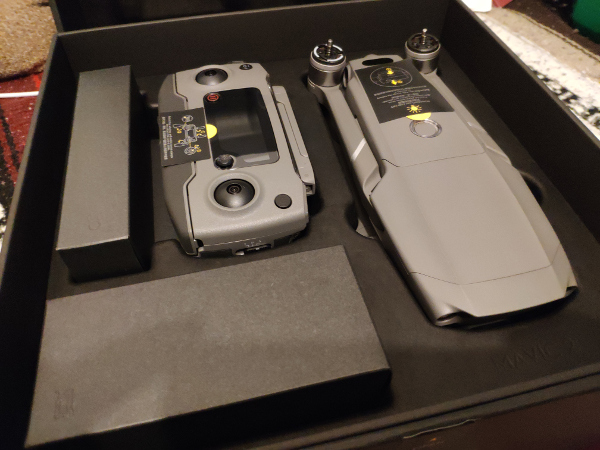
Getting the thing started I knew was going to be a little bit problematic because these drones need firmware updates every now and then. Despite the fact that the drone had only been released last month, as soon as I started the thing up it was requesting a firmware update. I tried updating through my phone to no avail and so to Google I went.
Netizens suggested to update by downloading the DJI Assistant for Mavic 2 from the DJI websites and then plugging the drone into my computer. Despite not recognizing my password (so I couldn’t sign in to my account), the Assistant did recognize the drone itself and let me download the latest firmware. It failed once but succeeded on the second try.
All along the drone controller was flashing “Magnetic Interference, Check APP”. Apparently the drone itself can cause some disruption to WIFI links so, even though it’s plugged in, you need to keep it a bit away from your computer. Confusing. Anyway, the download time was supposed to be 25 minutes but it took longer than that. After the drone itself had been updated, I entered the DJI Go APP and then had to update that software.

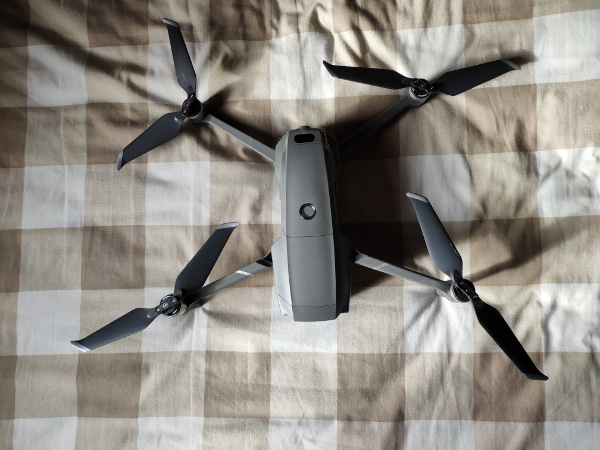
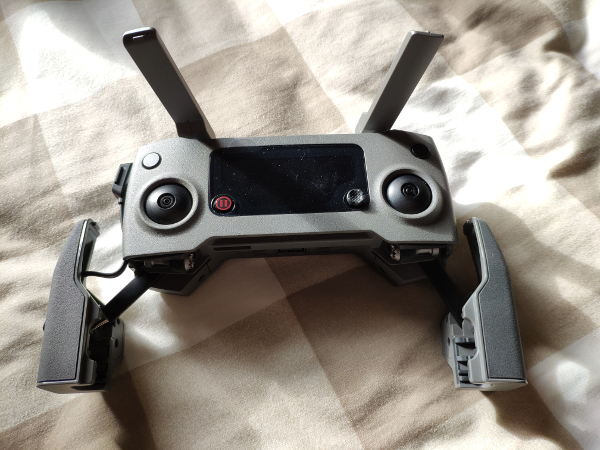
Overall, my first impressions of the drone is that it is a sturdy machine and it folds compactly which means I can throw it into my backpack or carry-on. The propellers are also an improvement since they also fold in which may or may not minimize damages caused by colliding into things.
After the updates finished and I had everything packed up, we were on the road.
The first stop we made was in McCreary, Manitoba. Finding an open parking lot, I set the drone up. The Mavic 2 needs a cell phone to fly as the controller is only half of the equation. In order to get the thing to take off, you need to attach your cell phone to the controller via USB and enter the APP that acts as a control module and a monitor.
But once I had all that connected and communicating to each other, up the drone went.
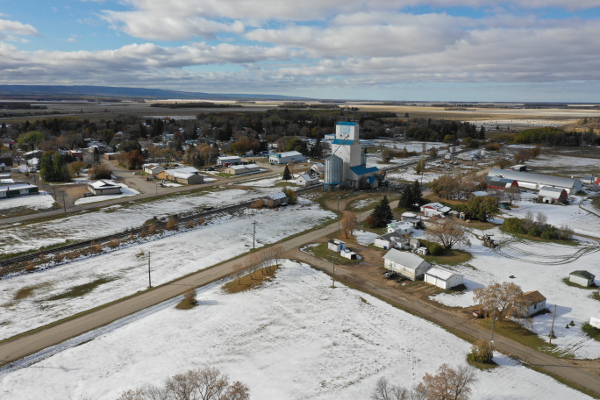
First off, the drone is fast. Much faster than the Yuneec Typhoon series that we used last year. A slight touch of the controls and the Mavic 2 speeds off in that direction. I set the controls to “Beginner” mode because I wanted to focus on getting a few shots instead of just figuring out how to fly the thing. Overall, it wasn’t a challenge to fly but I had to be gentle with the controls, especially when having the drone rotate. If I went too fast then the video would end up blurry (as we found out later).
With your phone attached you need to tap the “Take off” button (since this was in “Beginner” mode) and the drone will lift off to 1.4m or so and then wait for you to start maneuvering it. There is also a “Home” button on the controller that you can press and the drone will return to where it took off from, give or take a few feet. Just be careful, when in “Return to Home” mode, it won’t avoid any obstacles in its path so you do have to be mindful of any tall objects or power lines near your take-off point.
Once started, the drone propellers still sound like a swarm of angry bees, despite the fact the company says it’s quieter. The propellers are also not protected so you do have to be careful when approaching the drone and picking it up. I landed the thing amongst some of my smaller cousins and they all wanted to rush in to pick it up so we had to warn them off just in case. In any event, I still don’t feel that these are entirely safe products so do be careful when you’re handling these things.
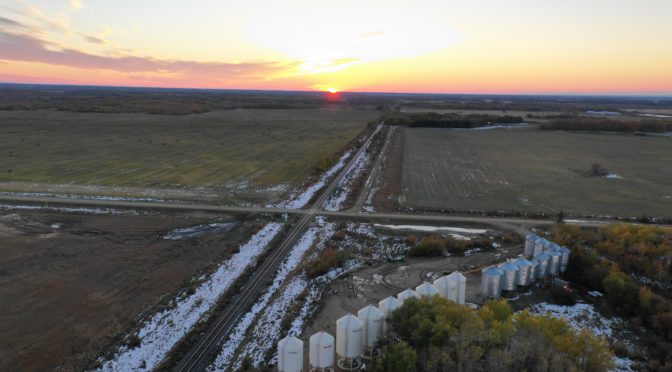
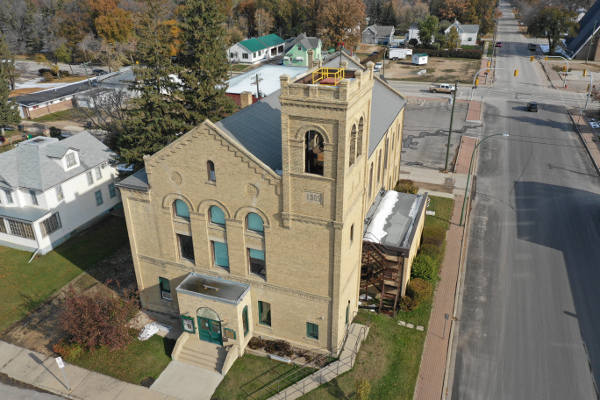
The photos were great, so was the video. We managed to get a couple shots of the towns we passed through and of a couple of farmsteads. I’d like to print out one or two of these photos to see how they turn out on actual paper. The camera is a Hasselblad L1D-20c which comes with a gimbal protector so you don’t scratch it up during transport. I didn’t do any photo or video editing and other than turning the drone too fast, yet the photos and videos came out quite clear and colourful.
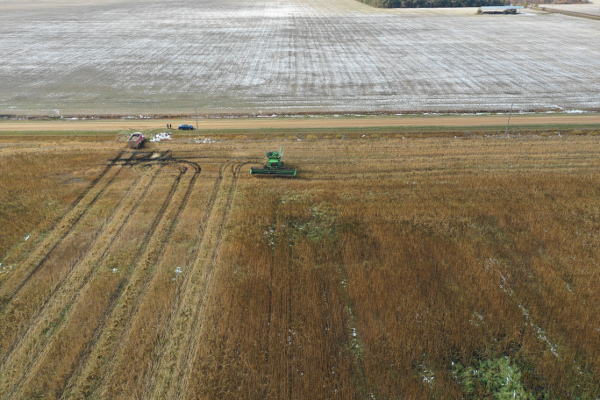

My one regret from the weekend was not getting a circle shot of the combine. We had three kids who all wanted to see how the thing worked and so I gave them each a turn of pressing one of the buttons and see how it moved the drone. I had to be careful, though, as we didn’t want the drone crashing into the crop or the combine. So my cousins watched the drone itself and I helped the kids maneuver it.
I bought a 128GB Kensington SD Card so I wouldn’t run out of room. However, I only had one battery (the store didn’t have any extras for this drone model) so I was restricted in how long we could operate. The battery life was long enough that we could send it up a fews times, do some fly-by videos, and take a few pictures. All in all, we were out there for about 40-45 minutes in the open air which made us cold enough to want to go back in. The benefit of having more batteries would be that we could’ve experimented with a few other shots or gone to a few other places to take some videos. But how much footage do you really need, right? (I often shoot a 5:1 ratio for video, meaning five minutes for every one minute of finished video.)
And that is one thing to be aware of with these drones. If you’re flying for fun and don’t care about the shots you’re getting (just as long as it is recording or taking photos), then this drone will deliver. If you’re looking to make a bit more of a polished video, however, there is a learning curve in how the drone operates and how to get the drone in a place where you need it. Bear in mind, each video shot you end up with will probably only be a few seconds in the finished video, so, with a 31-minute battery, it is possible to get enough shots to make a short video, taking into account that you probably won’t be recording every second of it.
The one downer about these drones is that they do have very sensitive batteries. If you’re not going to use the thing for a period of ten days or more, you need to drain the battery to about 60% (same with the controller) or else it affects the battery’s lifespan.
In terms of application, this drone is suited for those who are either hobbyists and want a nicer drone to play with or with prosumer-type of people (for weddings or other events) and want to offer some value-added services. Other than that, for most people, I can’t see how this is necessary in their lives. Moreover, there are numerous restrictions on using these things (especially in cities) so it doesn’t make sense for most people to own one unless they do outdoorsy stuff outside of the city and are willing to carry the added weight for five minutes of footage.
Overall, I’m happy with the purchase and look forward to using it more as I travel. Though my main purpose is for videography and photography, I also bought it because I want to practice flying these things.
BONUS VIDEO!